
SSS Employer Registration (2026): Complete Guide
If you plan to hire employees in the Philippines, one of your first legal responsibilities is completing SSS employer registration. Registering your business with the Social Security System (SSS) ensures that your employees receive mandatory social security coverage and allows your business to comply with Philippine labor laws.
Whether you own a small business, a corporation, a partnership, or a household employing domestic workers, understanding the employer registration process can help you avoid penalties and provide your employees with important social security benefits.
This guide explains everything you need to know about SSS employer registration, including who needs to register, the requirements, registration methods, employer obligations, and how to create a My.SSS Employer account.
What Is SSS Employer Registration?
SSS Employer Registration is the process of registering a business or employer with the Social Security System before hiring employees. Once registered, the employer receives an Employer (ER) Number, which is used when reporting employees, paying monthly contributions, and accessing SSS online services.
Registration also allows employers to comply with the Social Security Act of 2018 (Republic Act No. 11199) and provide mandatory social security protection for qualified employees.
Read Also : Globe SIM Registration Requirements & Accepted IDs (2026)
Who Needs to Register as an SSS Employer?
Employer registration generally applies to any individual or organization operating a business in the Philippines that hires one or more employees.
This includes:
If your business hires workers, registering with SSS should be completed before or upon the start of business operations.
Why Is SSS Employer Registration Important?
Registering as an employer offers benefits for both the business and its employees.
Some important advantages include:
Timely registration also helps employees qualify for benefits such as sickness, maternity, disability, retirement, and death benefits.
Requirements for SSS Employer Registration
Before beginning the registration process, prepare the following information.
Business Information
- Registered business name
- Business address
- Tax Identification Number (TIN)
- Business email address
- Mobile and telephone numbers
- Nature of business
- Business registration details
Employer Information
Depending on your business type, you may also need information about:
- Owner
- Managing partner
- Company president
- Corporate secretary
- Authorized representative
Providing accurate information during registration helps avoid delays in account verification.
How to Register as an SSS Employer
The registration process has become more convenient through the government’s online business registration system.
Step 1: Prepare Your Business Documents
Before starting your application, gather all required business information and ensure your registration details are complete and accurate.
Having everything ready will make the online application faster.

Step 2: Create a Business Registration Account
New employers can register their business through the government’s Central Business Portal (CBP).
Create an account using your official business email address and complete the email verification process before continuing.

Step 3: Register Your Business
After verifying your account:
- Log in to the Central Business Portal.
- Choose the option to register a business.
- Complete the online registration form.
- Submit the required business information.
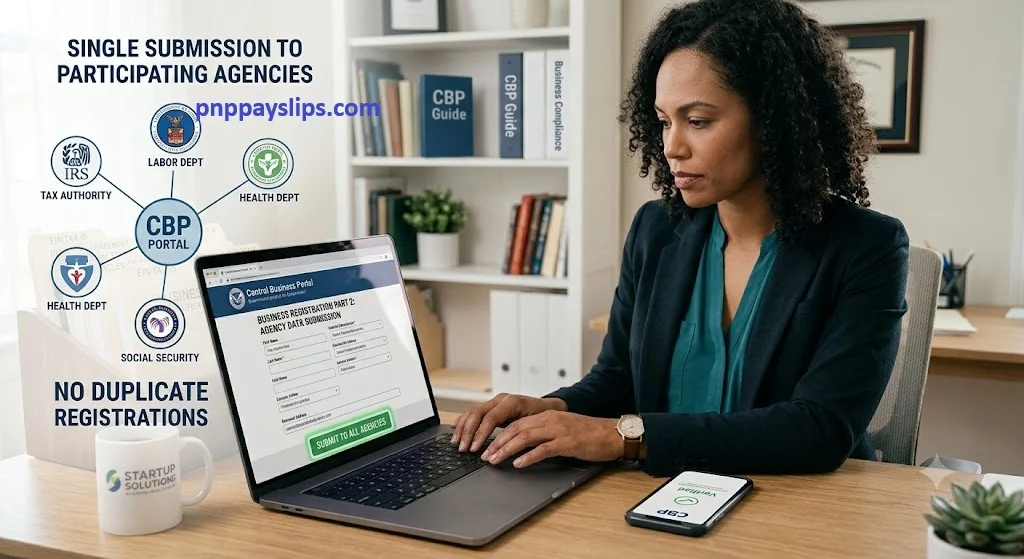
The portal shares employer information with participating government agencies, helping reduce duplicate registrations.
Step 4: Receive Your Employer Registration Details
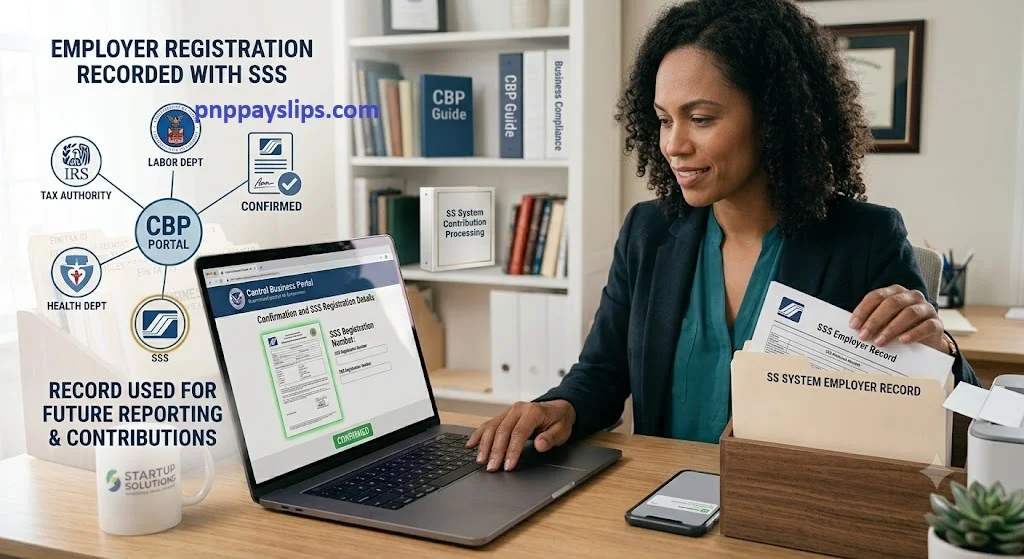
Once your application is processed, your employer registration information will be recorded with the Social Security System.
Your employer record will then be used for future employee reporting and contribution processing
How to Create a My.SSS Employer Account
After completing employer registration, creating a My.SSS Employer Account allows you to manage many transactions online.
The registration process generally involves:
- Visiting the official SSS website.
- Selecting Create a My.SSS Account.
- Choosing Employer as the account type.
- Providing your employer registration details.
- Verifying your registered company email.
- Completing account validation.
- Creating your password after approval.
Once activated, your My.SSS account becomes your primary online portal for employer transactions.
Services Available Through My.SSS
A registered employer can conveniently perform several transactions online, including:
- Reporting newly hired employees
- Viewing employer records
- Monitoring contribution payments
- Managing employer information
- Updating contact details
- Enrolling a disbursement account
- Accessing online employer services
Using the online portal helps reduce paperwork while making employer transactions faster and more efficient.
Employer Responsibilities After Registration
Registering your business is only the beginning. Employers also have ongoing responsibilities to remain compliant.
These responsibilities include:
- Reporting newly hired employees on time.
- Maintaining accurate employee records.
- Deducting employee SSS contributions correctly.
- Remitting employer and employee contributions before the due date.
- Updating employer information whenever business details change.
- Keeping payroll and employment records available for inspection when required.
Meeting these obligations helps employees receive their SSS benefits without unnecessary delays.
Updating Employer Information
Business information may change over time due to relocation, changes in ownership, or company restructuring. Employers should ensure that their records remain accurate by updating the Social Security System whenever significant changes occur.
Some updates can be completed online through the My.SSS Employer Portal, while others require submitting the appropriate request forms and supporting documents to the nearest SSS branch.
Common updates include:
Keeping employer records up to date helps avoid delays when processing employee records and other SSS transactions.
Reporting Newly Hired Employees
After registering your business, one of your primary responsibilities is reporting newly hired employees to the SSS.
Employee reporting should be completed within the prescribed period after hiring to ensure workers receive social security coverage as early as possible.
Before submitting an employee report, make sure each employee has:
- An active SSS Number
- Complete personal information
- Accurate employment details
Providing correct information minimizes processing issues and helps employees access SSS benefits when needed.
How Employers Pay SSS Contributions
Every registered employer is responsible for remitting both the employer’s share and the employee’s share of monthly SSS contributions.
Contribution payments are usually made using a Payment Reference Number (PRN) through authorized payment channels.
Common payment options include:
- SSS branches with tellering facilities
- Accredited banks
- Online banking services
- Electronic payment partners
- Approved payment centers
Employers should always pay contributions before the due date to avoid penalties and maintain employee benefit eligibility.
Disbursement Account Enrollment
The Disbursement Account Enrollment Module (DAEM) allows employers to register a bank account for electronic reimbursements and benefit payments.
Enrolling a verified bank account provides several advantages:
- Faster reimbursement processing
- Secure electronic payments
- Reduced paperwork
- Convenient online transactions
Before enrolling, ensure that the registered bank account name matches the employer information recorded with SSS.
What Happens If an Employer Fails to Comply?
Employers who fail to meet their obligations may face administrative, civil, or legal consequences.
Examples of non-compliance include:
- Failure to register the business
- Failure to report employees
- Late payment of contributions
- Incorrect employee records
- Failure to maintain employment records
- Failure to remit deducted employee contributions
Non-compliance may also affect employees by delaying their access to SSS benefits and other services.
Tips for Employers
Following a few best practices can help employers manage their SSS obligations more efficiently.
✔ Register your business before hiring employees.
✔ Report new employees as soon as they are hired.
✔ Verify employee information before submitting reports.
✔ Keep payroll and employment records organized.
✔ Pay contributions before the due date.
✔ Update business information whenever changes occur.
✔ Regularly access your My.SSS Employer account to monitor records and transactions.
These simple practices can reduce processing issues and help your business remain compliant.
Frequently Asked Question
Conclusion
Completing SSS Employer Registration is an important step for every business that hires employees in the Philippines. It not only ensures compliance with government regulations but also provides employees with access to valuable social security benefits throughout their employment.
After registering, employers should report employees promptly, remit contributions on time, maintain accurate business records, and regularly monitor their My.SSS Employer account. Staying compliant helps businesses avoid penalties while ensuring employees receive the protection and benefits they are entitled to.