How to Check Police Clearance Status Online (2026 Complete Guide)
Waiting for your police clearance can be stressful, especially if you need it for employment, immigration, travel, or other legal purposes. Fortunately, many government agencies now allow applicants to track the progress of their police clearance applications online, making the process faster and more convenient.
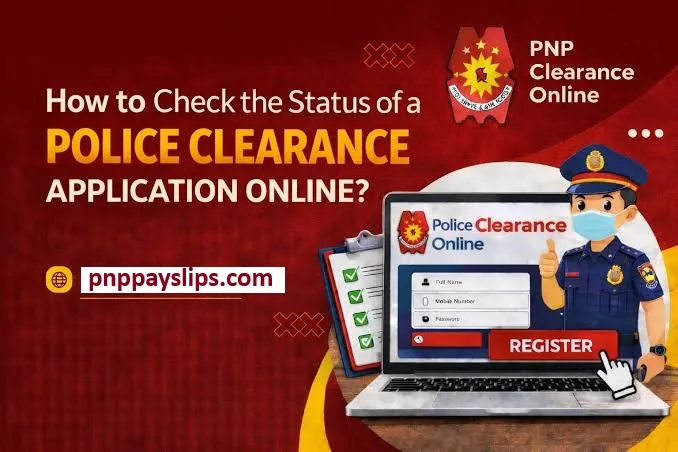
In this guide, you’ll learn how to check your police clearance status online, what each application status means, the common reasons for delays, and how to resolve issues if your application isn’t progressing as expected.
Quick Answer:
You can check your police clearance status by logging into the official police clearance portal using the same account you used during registration. After signing in, open your application dashboard to view your current status, such as Pending, Processing, For Biometrics, Ready for Release, or On Hold.
Read Also : Police Clearance Online Philippines 2026 Guide
Why Checking Your Police Clearance Status Matters
Tracking your application helps you stay informed without visiting a police station. It allows you to:
- Know whether your application is still being processed.
- Prepare for upcoming employment or visa deadlines.
- Find out if additional documents or biometrics are required.
- Download or claim your clearance as soon as it becomes available.
- Avoid unnecessary delays caused by missed notifications.
Checking your status regularly can save both time and effort, particularly if you are working with strict submission deadlines.
What You Need Before Checking Your Status
Before accessing the official portal, make sure you have the following information ready:
- Registered email address or username
- Password for your online account
- Reference or transaction number (if required)
- Stable internet connection
- Access to the official police clearance website
Using the same account that you used during registration helps prevent login errors and ensures you can access your application.
How to Check Your Police Clearance Status Online
The exact process may differ slightly depending on your country’s police clearance system, but the general steps are very similar.
Step 1: Visit the Official Police Clearance Website
Open the official police clearance portal where you submitted your application.
Always use the government-authorized website instead of third-party websites to protect your personal information.
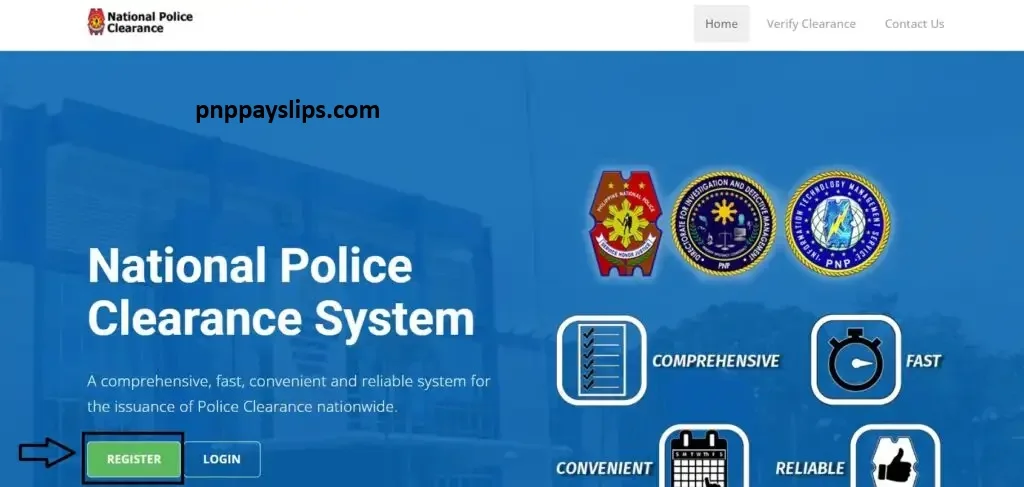
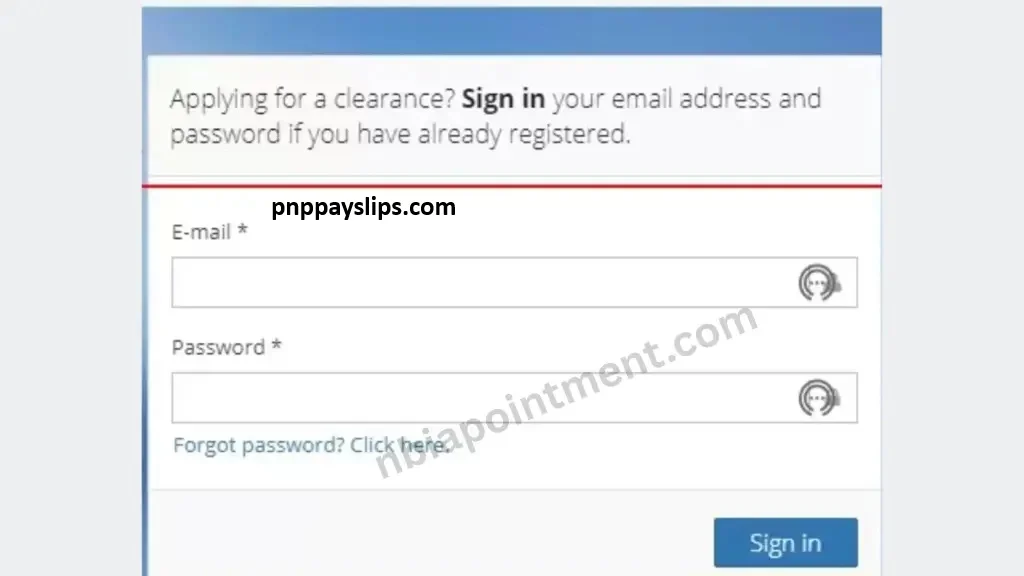
Step 2: Log In to Your Account
Enter your registered:
- Email address or username
- Password
If you’ve forgotten your password, use the Forgot Password option to reset it.
Step 3: Open Your Application Dashboard
After logging in, navigate to sections such as:
- My Applications
- Application Status
- Track Application
- Dashboard
Different systems may use different names, but they all display your application progress.
Step 4: Enter Your Reference Number (If Required)
Some police clearance systems ask for a reference or tracking number.
Enter it exactly as shown on your payment receipt or confirmation email.
Avoid typing mistakes, as even one incorrect digit may prevent your record from appearing.
Step 5: Review Your Current Status
The portal will display your application’s current progress.
You may also see additional instructions if further action is required.
Understanding Police Clearance Status Updates
Knowing what each status means helps you understand whether you need to take any action.
Pending
Your application has been successfully submitted but has not yet entered the verification process.
No action is required unless the status remains unchanged for an unusually long period.
Processing
Authorities are currently reviewing your application and conducting background verification.
This is a normal stage, and processing times may vary depending on workload.
For Biometrics
Your application requires fingerprint capture, photograph, or both before processing can continue.
Complete your biometrics appointment as soon as possible to avoid delays.
On Hold
Your application requires additional review.
Common reasons include:
- Missing documents
- Incorrect personal information
- Verification issues
- Incomplete requirements
Follow the instructions provided in your account or contact the appropriate office.
Ready for Release
Congratulations!
Your police clearance has been approved and is ready for:
- Download (if digital copies are available), or
- Personal collection from the designated office.
Always verify whether your system offers digital certificates or requires physical collection.
Where Can You Check Your Police Clearance Status?
Depending on your country’s system, status updates may be available through several official channels.
Official Online Portal
This is the most reliable method.
Simply log into your registered account to see real-time updates.
Government Mobile Application
Some police departments provide official mobile apps that allow applicants to:
- Track applications
- Receive notifications
- View appointment schedules
Only download official government applications from trusted app stores.
Email Notifications
Many police clearance systems automatically send updates when:
- Payment is confirmed
- Biometrics are scheduled
- Processing is completed
- Certificates become available
Check both your Inbox and Spam folder.
SMS Notifications
If you opted to receive SMS updates during registration, important application notifications may also be sent to your mobile phone.
Common Problems and Their Solutions
Even official portals occasionally experience issues. Here are the most common problems applicants encounter.
Incorrect Password
Reset your password using the official password recovery option.
Account Cannot Be Found
Double-check that you’re using the same email address used during registration.
Invalid Reference Number
Copy the reference number directly from your payment receipt or confirmation email instead of typing it manually.
Portal Not Loading
Possible reasons include:
- Heavy website traffic
- Browser cache issues
- Temporary server maintenance
Try:
- Refreshing the page
- Clearing your browser cache
- Using another browser
- Trying again later
Status Isn’t Changing
Processing times vary depending on application volume.
If your application remains unchanged well beyond the published processing period, contact the official support team.
Missing Confirmation Email
Look inside your:
- Spam folder
- Junk folder
- Promotions folder
If you still cannot find it, contact official support.
When Should You Contact Support?
You should consider contacting the official police clearance office if:
Always keep your reference number available before contacting support.
Tips for Faster Processing
Although processing times depend on the issuing authority, these practices can help prevent delays:
Final Thoughts
Checking your police clearance status online is the easiest way to stay informed throughout the application process. By signing into the official portal, you can monitor every stage of your application, from submission to final approval, without visiting a police office.
If your application requires additional documents or biometrics, responding quickly can help avoid unnecessary delays. Always rely on official government platforms for accurate status updates and protect your personal information by avoiding unofficial websites.