
How to Check TNT SIM Registration Status (2026): Official Guide
Check Your TNT SIM Registration Status in Minutes
Verify whether your TNT SIM is successfully registered using the official methods. This guide includes the latest 2026 process, requirements, and solutions to common registration issues.
If you’ve already registered your TNT SIM card, the next step is making sure the registration was completed successfully. Checking your TNT SIM registration status confirms that your mobile number is officially registered under the Philippines’ SIM Registration Act (Republic Act No. 11934) and helps you avoid service interruptions or SIM deactivation.
Whether you registered through the official portal or the GigaLife App, verifying your registration only takes a few minutes. In this guide, you’ll learn the official ways to check TNT SIM registration status, what different status messages mean, and what to do if your registration is incomplete.
How to Check TNT SIM Registration Status
There are several official methods to verify whether your TNT SIM has been successfully registered. The easiest options include using the GigaLife App, the official Smart/TNT SIM Registration Portal, or contacting customer support if you experience any issues.
Below are the most reliable methods.
Method 1: Check Through the GigaLife App
The GigaLife App is the official self-service application for Smart and TNT subscribers. It allows users to manage their accounts, purchase promos, monitor data usage, and check SIM registration status.
Steps to check your registration status:
- Download and install the GigaLife App from the Google Play Store or Apple App Store.
- Open the app and log in using your registered TNT mobile number.
- Verify your account using the One-Time Password (OTP).
- Once logged in, go to your account dashboard.
- Look for your SIM registration information.
If your registration is complete, you’ll usually see a confirmation indicating that your TNT SIM is successfully registered. If your SIM still requires registration, the app will guide you through the remaining steps.

Method 2: Check Using the Official SIM Registration Portal
If you don’t want to install the app, you can verify your registration online using the official Smart/TNT SIM Registration Portal.
Follow these steps:
- Open the official TNT/Smart SIM Registration website.
- Enter your TNT mobile number.
- Complete the OTP verification.
- The portal will automatically check your registration record.
You may receive one of the following messages:
- Registered – Your SIM registration has been completed successfully.
- Registration Required – Your SIM has not yet been registered.
- Registration In Progress – Your registration request is still under review.
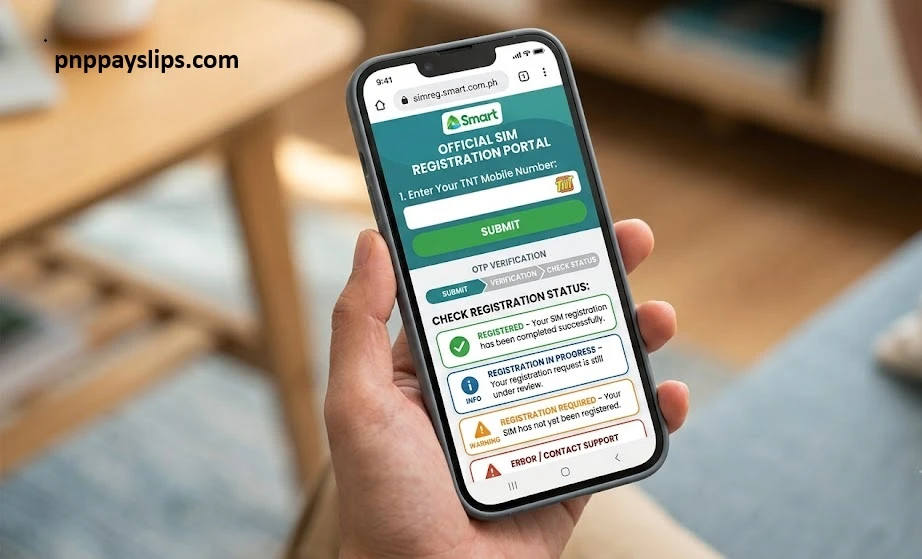
This method is especially useful if you originally registered your SIM through the online portal.
Method 3: Contact TNT Customer Support
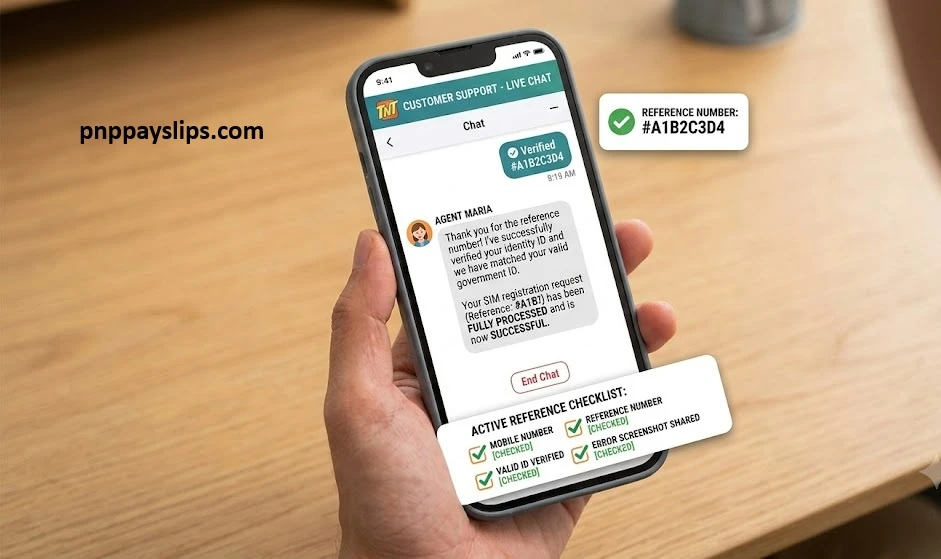
If neither the app nor the registration portal displays your status correctly, contact TNT customer support.
Prepare the following information before contacting support:
- Your TNT mobile number
- Reference number (if available)
- Valid government-issued ID used during registration
- Screenshot of any error message
The support team can verify whether your registration has been successfully processed.
What Does Your TNT SIM Registration Status Mean?
When checking your TNT SIM registration status, you may encounter different messages.
Registered
Your SIM has been successfully registered and complies with the SIM Registration Act. You can continue using calls, texts, mobile data, and other TNT services without interruption.
Registration Failed
Your application could not be processed because of incorrect information, an unreadable ID, or verification issues. You’ll need to submit a new registration request.
Registration Pending
Your application has been submitted but is still under review. This usually happens if your uploaded ID or selfie requires manual verification.
Registration Required
This means your SIM has not yet been registered. Complete the registration process immediately to avoid deactivation.
What to Do If Your TNT SIM Is Not Registered

If your registration status shows that your SIM isn’t registered, don’t panic.
Here are some simple solutions:
- Complete the registration using the official TNT registration portal.
- Double-check that your personal information matches your government-issued ID.
- Upload a clear photo of your ID and selfie.
- Ensure you entered the correct mobile number.
- Request a new OTP if you didn’t receive one.
- Contact TNT customer support if the issue continues.
Most registration problems can be resolved by correcting the submitted information and trying again.
Why You Should Verify Your TNT SIM Registration Status
Checking your registration status offers several benefits.
Prevent SIM Deactivation
Unregistered SIM cards may eventually be deactivated under Philippine regulations.
Continue Using Mobile Services
A registered SIM allows uninterrupted access to calls, SMS, mobile data, e-wallets, and online banking services linked to your number.
Resolve Problems Early
Checking your status helps you identify registration issues before they become serious.
Stay Compliant
Verifying your registration ensures your SIM complies with the requirements of the SIM Registration Act.
Frequently Asked Questions
Conclusion
Checking your TNT SIM registration status is a quick but important step after registering your SIM. It confirms that your registration has been successfully completed and helps ensure your number remains active and compliant with Philippine regulations.
Whether you choose to verify your status through the GigaLife App, the official TNT SIM Registration Portal, or by contacting customer support, taking a few minutes to confirm your registration can help you avoid unnecessary service interruptions. If your status indicates that your registration is incomplete or pending, resolve the issue as soon as possible to keep your TNT SIM active and fully functional.
Need More SIM Registration Guides?
Visit our website for the latest SIM registration updates, official guides, and troubleshooting articles.
Visit PNPPaySlips →